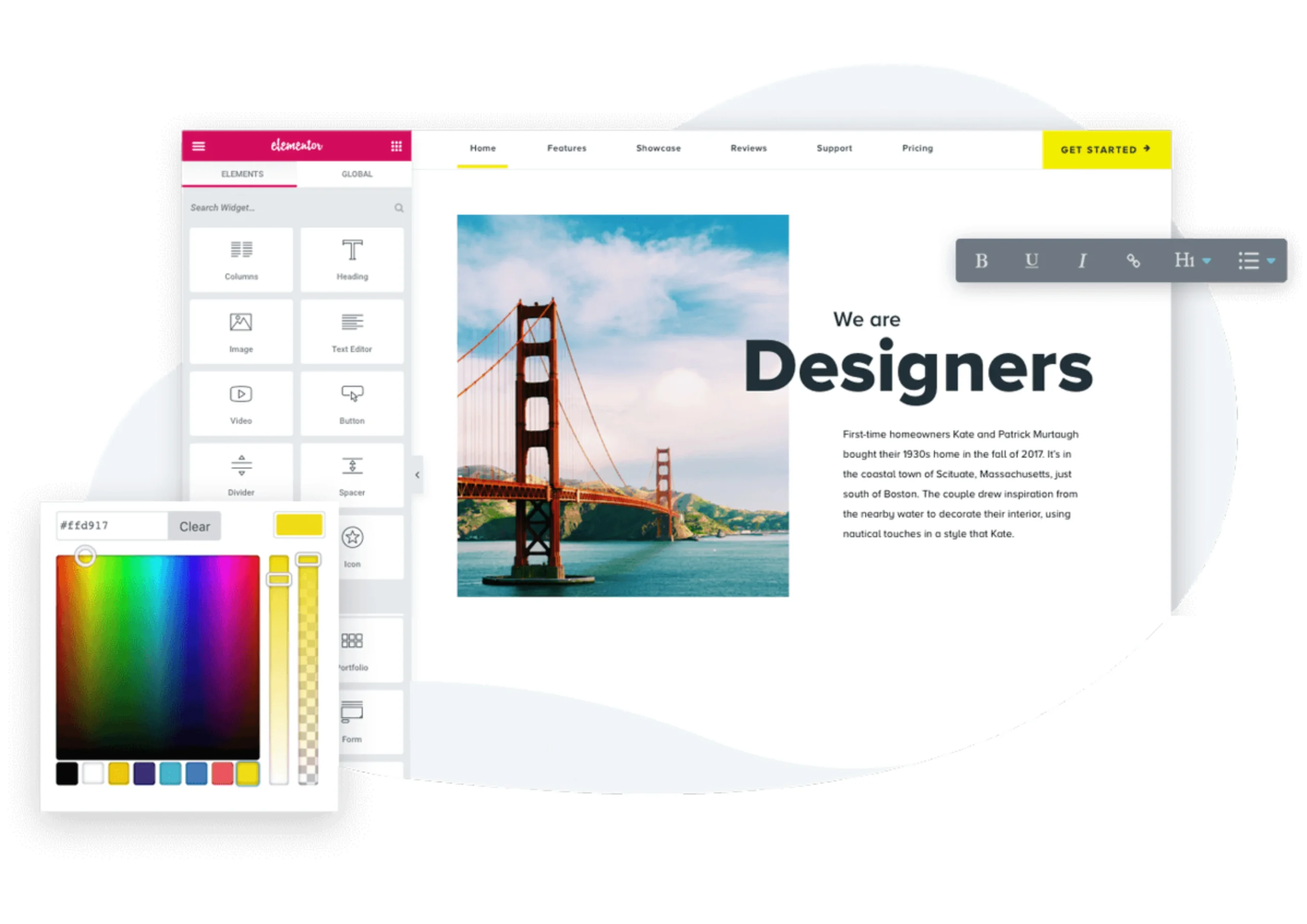

Elementor has revolutionized website building on WordPress with its visual drag-and-drop interface. This makes it easy for developers, designers, and even beginners to create modern, fully responsive websites without writing a single line of code.
The premium version, Elementor Pro, adds advanced functionality, including Theme Builder, Popup Builder, Form Builder, dynamic content integration, and WooCommerce widgets. These features are essential for building professional websites with complex layouts, marketing tools, and e-commerce capabilities.
However, Elementor Pro’s subscription cost can be a barrier, especially for:
- Freelancers or small agencies managing multiple websites
- Small businesses with tight budgets
- Beginners looking to explore professional web design without recurring fees
This is where Elementor.org (Pro Elements) comes in. It is a free, open-source alternative that restores most of the advanced features of Elementor Pro, allowing users to create professional websites without paying for a license.
In this guide, you will learn:
- Why Elementor Free may not meet all your website needs
- What is Elementor.org and how it solves these limitations
- Key considerations for beginners and professionals
A Quick Look at Elementor Free Limitations
While Elementor Free is a great starting point for beginners, it has some limitations that can make building advanced or professional websites difficult.
Some of the main limitations include:
- Limited design and layout options; No Theme Builder for headers, footers, or archive pages
- Fewer widgets; Advanced elements like pricing tables, portfolios, and WooCommerce widgets are missing
- Basic forms and no popups; Advanced marketing features are unavailable
- No dynamic content support or developer tools for customizations
- Limited WooCommerce integration
These limitations can make it hard to build professional, dynamic, or e-commerce websites without additional plugins, which can affect performance and maintenance.
For a complete breakdown of all the limitations of Elementor Free, please read my blog here: Limitations of Elementor Free
How Elementor.org (Pro Elements) Solves These Limitations
Elementor.org restores many of the advanced features that are missing in Elementor Free. It provides a professional, cost-effective environment for building websites without relying on multiple third-party plugins. Here are the main ways Elementor.org helps you build more advanced and professional websites:
- Full Theme Builder
- Design global templates for headers, footers, posts, archive pages, 404 pages, and WooCommerce layouts.
- Apply consistent styling and layouts across your entire website without installing extra plugins.
- Make changes once and have them reflected site-wide, saving time and maintaining design consistency.
- Popup and Form Builder
- Create popups for marketing, announcements, or lead capture with triggers and display conditions.
- Build advanced forms with conditional logic and integrations.
- Reduce the need for multiple plugins, improving website performance and maintainability.
- Dynamic Content Support
- Connect Elementor templates to ACF, PODS, Meta Box, and custom post types.
- Display structured, database-driven content directly in your website layouts.
- Ideal for creating blogs, portfolios, or dynamic websites that require custom content.
- WooCommerce Builder
- Customize product pages, product archives, cart, and checkout layouts.
- Build professional e-commerce websites without relying on additional plugins.
- Perfect for small businesses or online stores looking for full design control.
- Professional Developer Tools
- Supports hooks, filters, and extensibility similar to Elementor Pro.
- Allows controlled and maintainable customizations without installing unsupported third-party plugins.
- Helps developers build scalable and reliable websites while keeping performance optimized.
WooCommerce Builder in Elementor.org
Elementor.org allows you to build professional e-commerce websites without relying on multiple plugins. With its WooCommerce integration, you can customize every aspect of your online store:
- Product Pages: Design product layouts with images, descriptions, and pricing exactly how you want.
- Product Archive Pages: Customize category or shop pages to match your brand style.
- Cart and Checkout Pages: Create a smooth, user-friendly checkout experience.
Why it matters:
Even beginners can create professional, fully customized online stores without needing advanced coding skills or extra WooCommerce plugins. This reduces website bloat and keeps your site fast and easy to manage.
Is Elementor.org Legal?
Yes, Elementor.org is 100% legal to use. Elementor’s code is licensed under the GPL (General Public License), which allows redistribution, modification, and free use. Elementor.org uses this publicly available GPL code and does not access Elementor’s premium activation servers.
Important Considerations
- You do not receive official Elementor Pro support.
- Automatic updates from Elementor Pro are not included.
- Some advanced integrations or features may require manual adjustments.
How to Install Elementor.org
Elementor.org is GPL-licensed, which means it is free to use and modify. However, it is not available in the official WordPress plugin repository, so you will need to install it manually. Follow these simple steps to get started:
Step 1: Download the Plugin
- Go to a proelements.org
- Download the plugin as a ZIP file to your computer.
Step 2: Upload the Plugin to WordPress
- Log in to your WordPress dashboard.
- Navigate to: Plugins → Add New → Upload Plugin.
- Select the ZIP file you downloaded and click Install Now.
Step 3: Activate the Plugin
- After installation, click Activate to enable Elementor.org on your site.
Step 4: Ensure Elementor Free Is Installed
- Elementor.org works alongside Elementor Free, so make sure the free version is already installed and activated.
Tip: Installing Elementor.org is straightforward, but always download plugins from trusted sources to avoid security risks. Once installed, you can immediately start using the advanced features that Elementor Free doesn’t provide.
Performance Recommendations
Elementor.org adds many advanced features to your website, but using too many features or plugins can affect performance. To ensure your website runs smoothly, follow these best practices:
- Enable Optimized DOM Output
- Go to Elementor → Settings and enable Optimized DOM Output.
- This reduces unnecessary HTML code, making your pages load faster.
- Use the New Container System
- Instead of traditional sections and columns, use Elementor’s Container system for layouts.
- It is lighter, more flexible, and improves website performance.
- Limit the Number of Add-On Plugins
- Only use essential plugins.
- Extra plugins can slow down your site and increase the risk of conflicts.
- Enable Caching
- Use caching plugins like LiteSpeed Cache or WP Rocket to store static versions of your pages.
- This helps pages load faster for visitors and reduces server load.
- Use a CDN for Images and Static Assets
- A Content Delivery Network (CDN) serves images and static files from servers closer to your visitors.
- This improves loading speed and overall website performance.
Tip: Following these steps ensures your website stays fast and responsive, even while using advanced features like popups, forms, and dynamic content in Elementor.org.
If you are looking to explore professional web design without subscription costs, Elementor.org offers the perfect balance of advanced functionality, flexibility, and affordability, making it an ideal choice for developers, designers, and WordPress enthusiasts alike.